One app for your flight department.
CrewTek replaces the fatigue calculators, rostering sites, logbook apps, home-built PDFs and safety tools operators switch between — in a genuine native iPad app for the cockpit and a matching web app for the office.
Same account, same data, in sync.
· Built for CASA (AU) & FAA (US) operators
The status quo
Stop switching between five systems.
Business and charter departments run on a patchwork of disconnected tools — and re-key the same flight, crew and duty data into each one. CrewTek pulls all of it into a single purpose-built suite.

What's inside
Everything your operation needs, in one place.
The same data flows from the flight day into compliance, the logbook and your safety picture — no double entry.
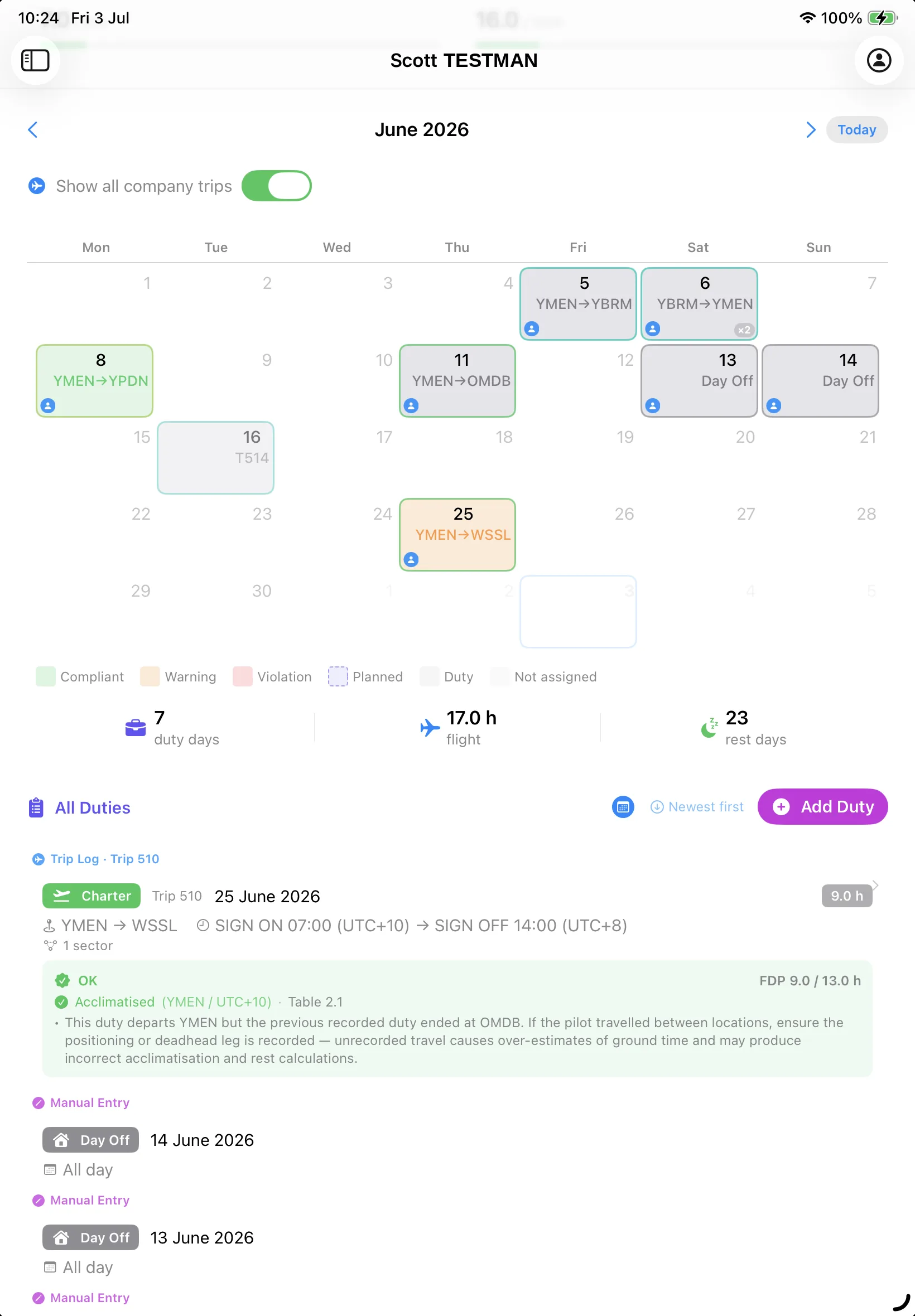
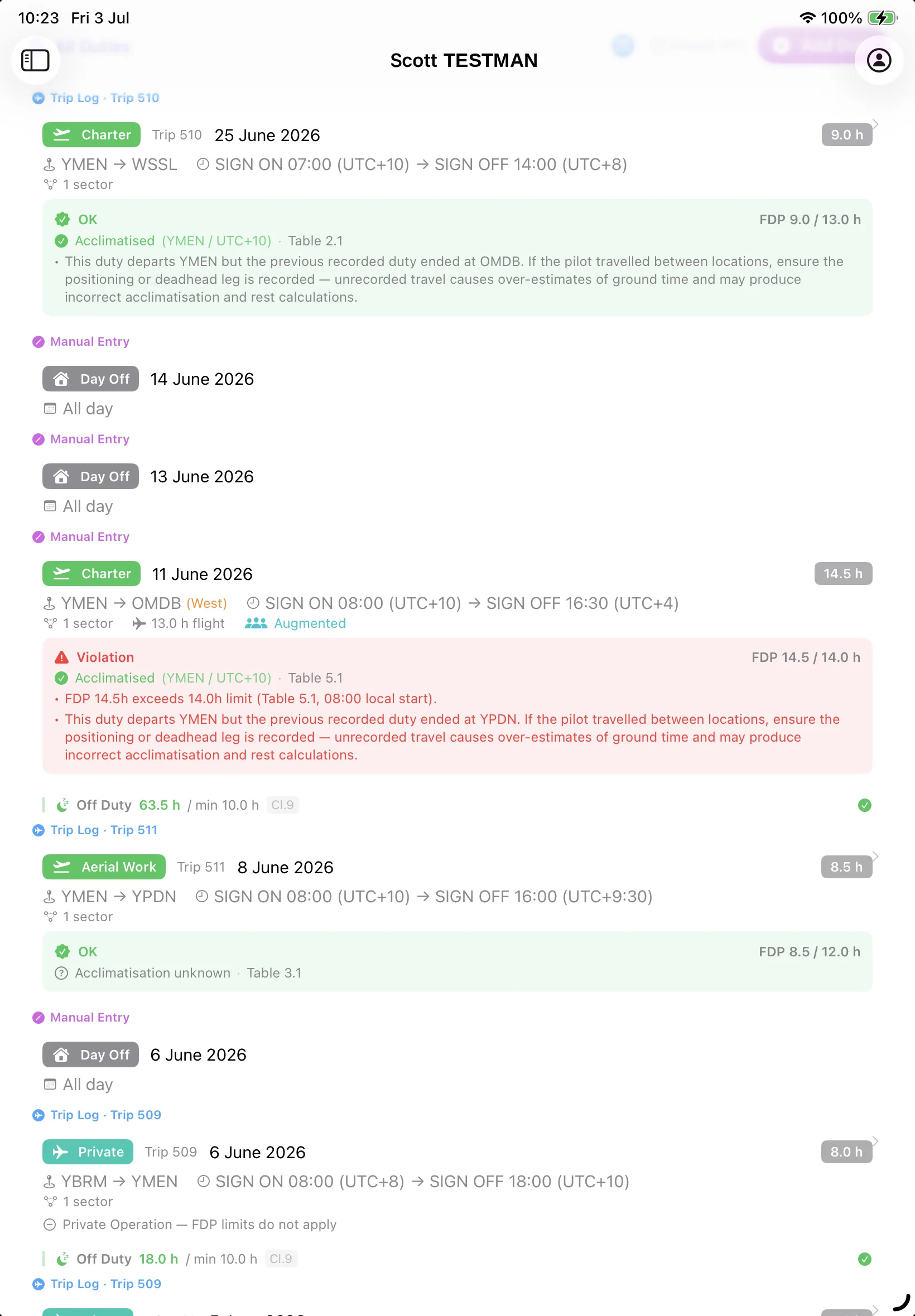
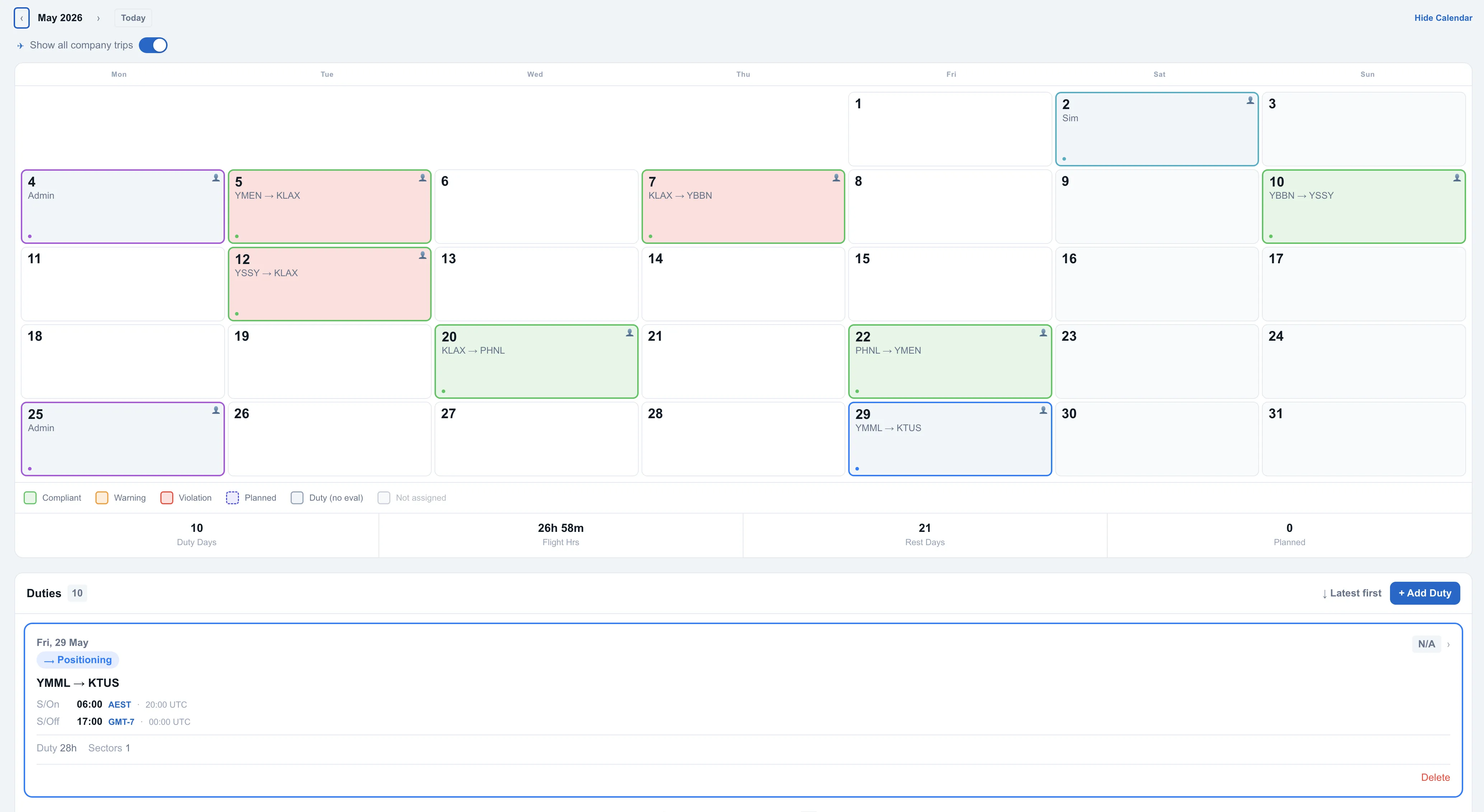
Duty and fatigue limits, calculated for you.
A full CASA CAO 48.1 engine (Appendices 2, 4B, 5 & 5A currently incorporated) plus FAA Part 135 / 91K logic computes every flight-duty-period limit from the correct rule table — handling acclimatisation, augmented crew, standby and rolling windows.
e.g. “FDP 14.5h exceeds 14.0h limit · Table 5.1”
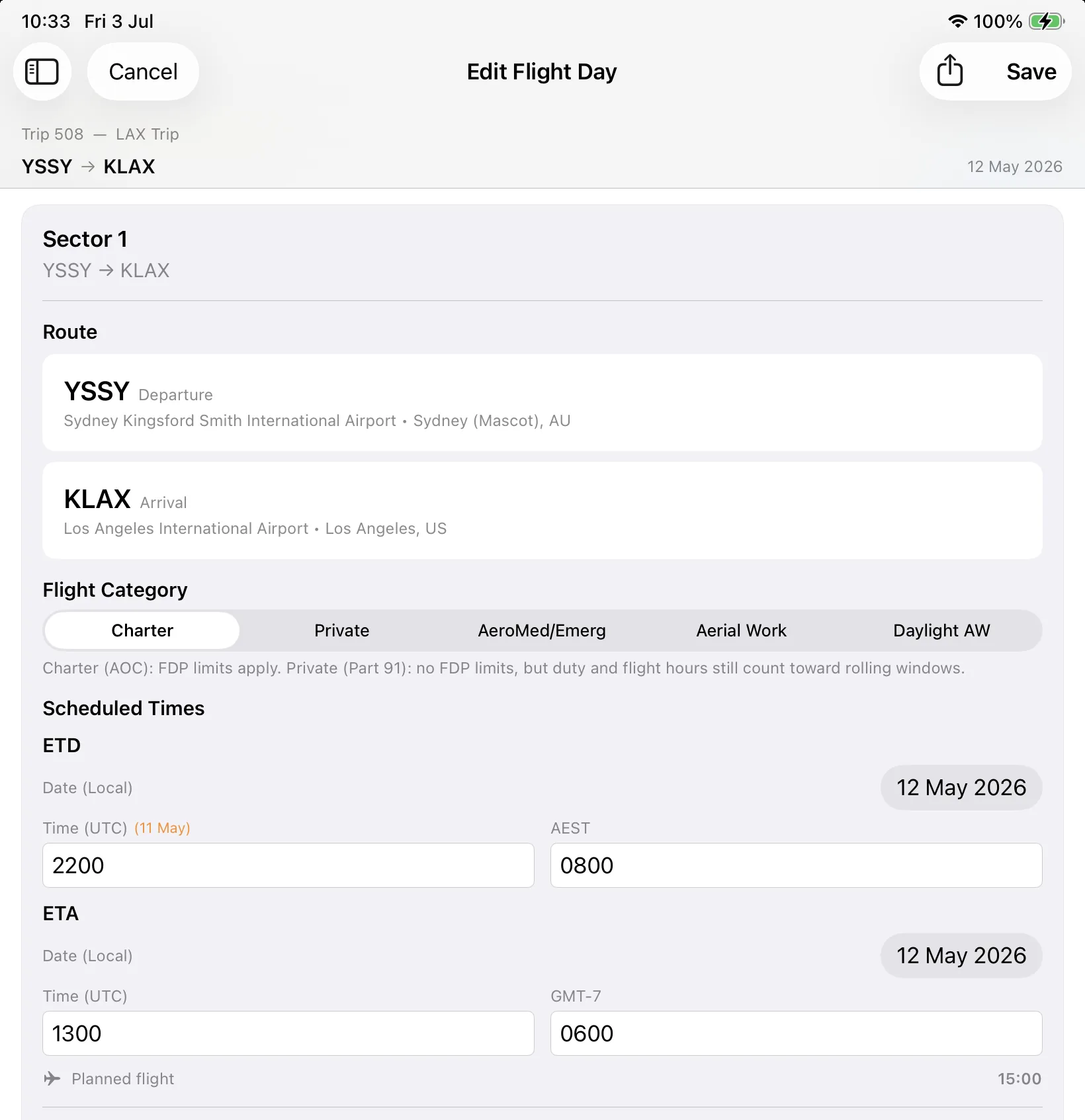
The electronic Trip Log, done right.
No more carbon-paper trip logs, non-calculating PDFs or sprawling Excel spreadsheets. CrewTek replaces them with an intuitive, quick, auto-calculating electronic Trip Log — the whole flight day captured once, then exported as a professional document pack.
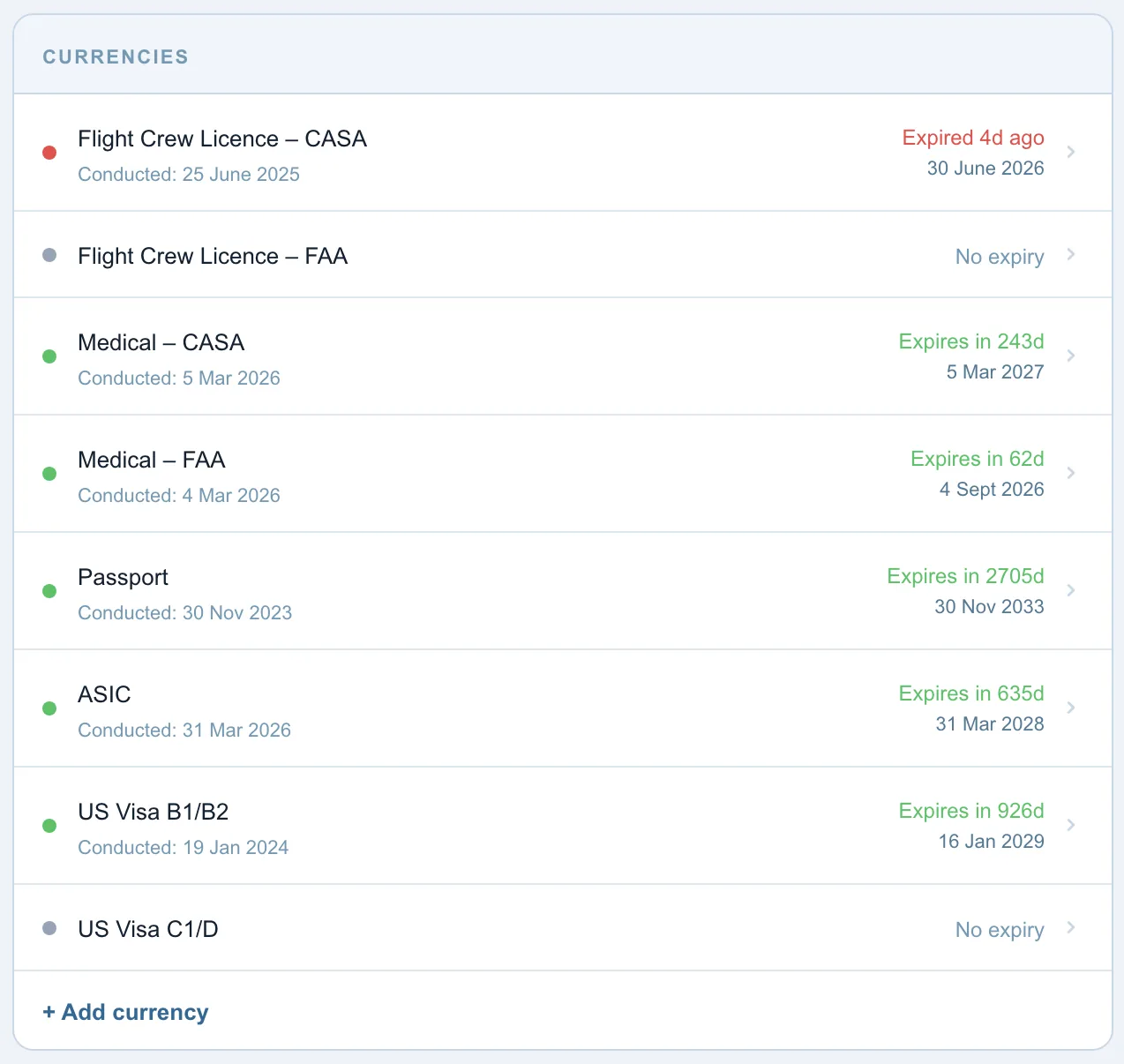
Nothing lapses unnoticed.
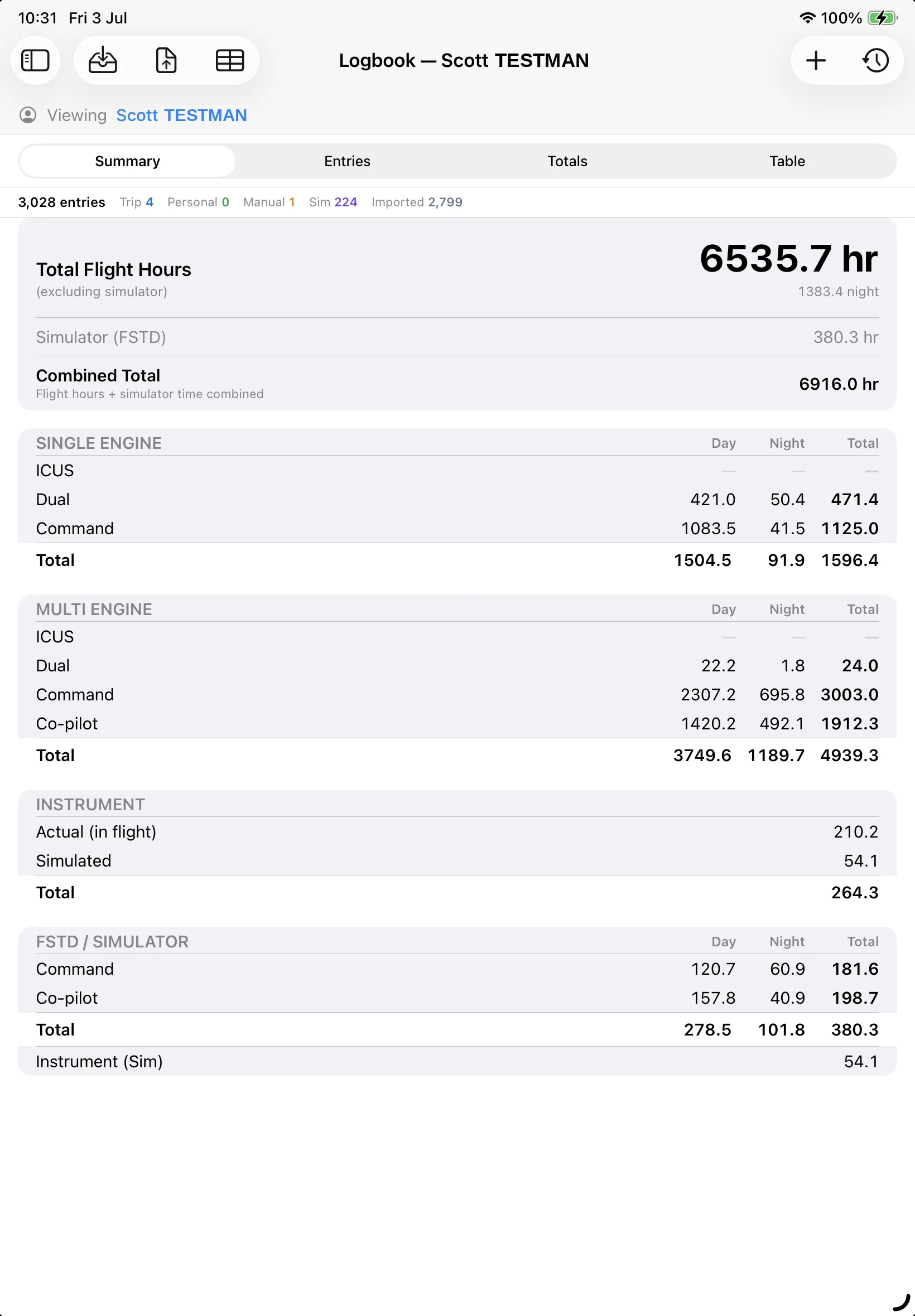
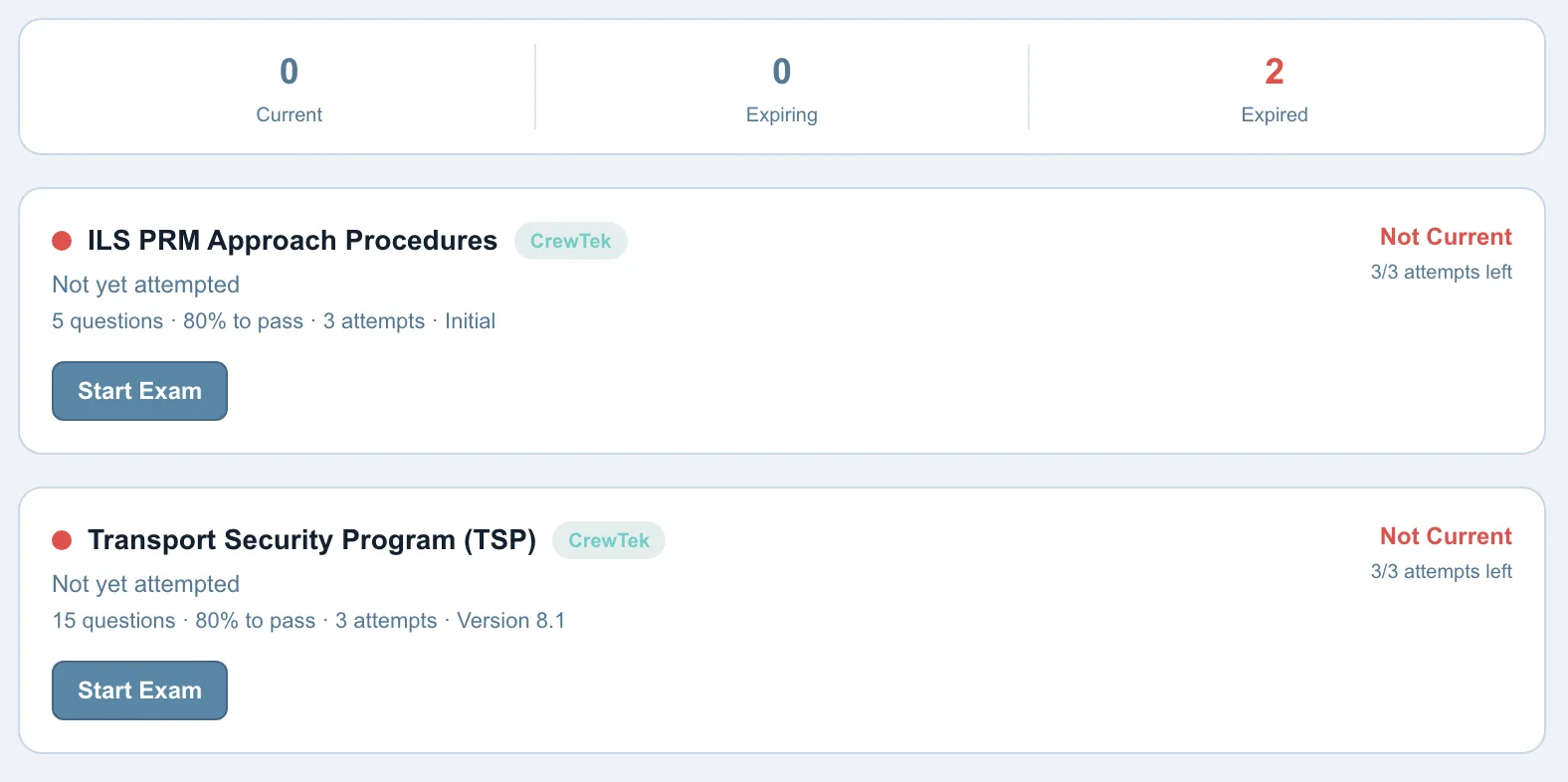
A full crew register tracks licences, ratings and medicals, and any user customised currencies and surfaces an Expiring / Expired list with clear status. Every pilot gets a complete logbook that imports existing history and aggregates totals by class, day/night and role.
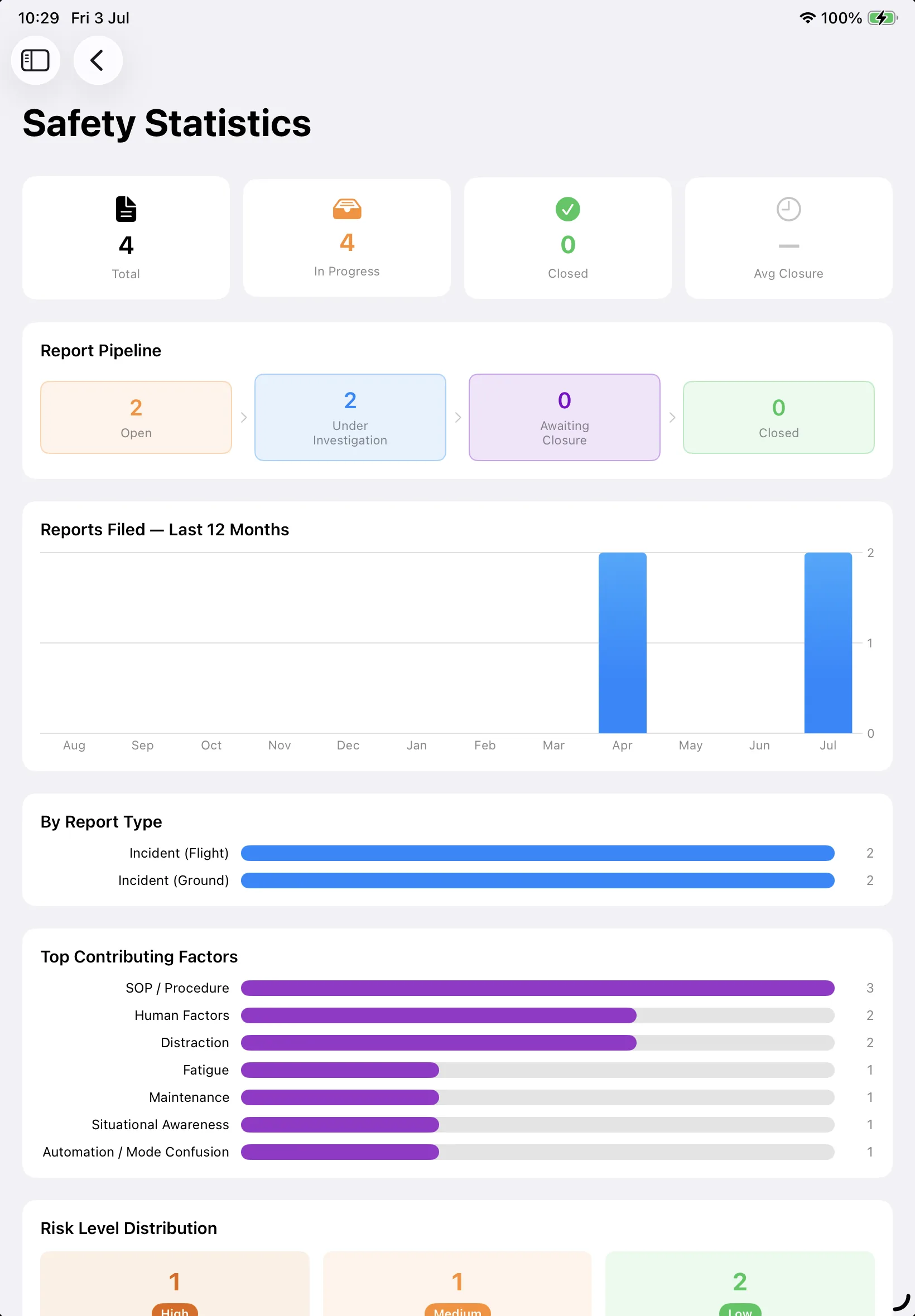
A safety picture that stays current.
Crew file reports that move through a clear pipeline — Open → Under Investigation → Awaiting Closure → Closed — while a statistics dashboard tracks reports over 12 months, top contributing factors and risk distribution. Internal and external audits run on scheduled checklist templates.
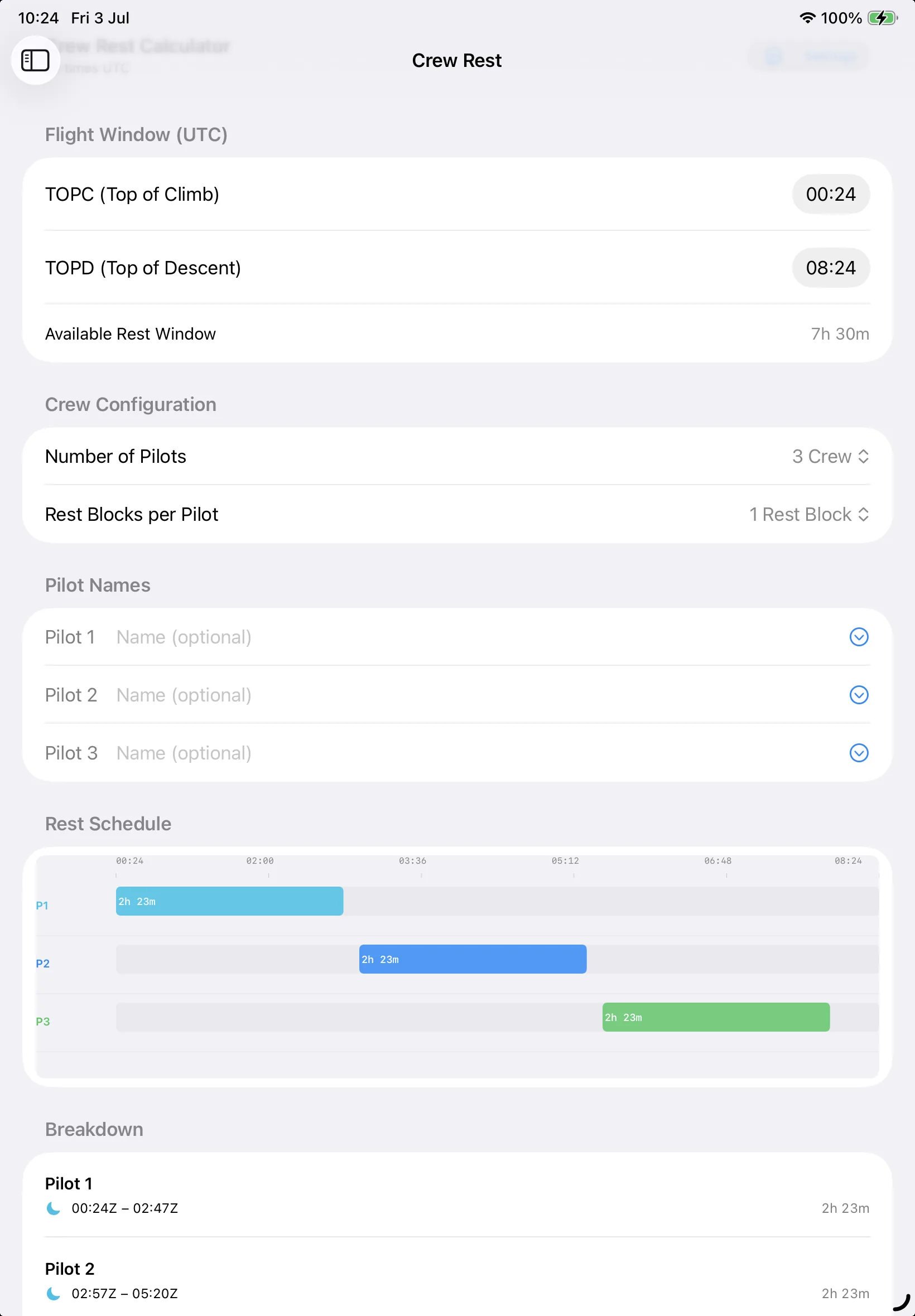
Crew rest, planned for the long sectors.
For augmented-crew operations, a dedicated planner takes the flight window from top-of-climb to top-of-descent, the number of pilots and rest blocks, and produces a planned rest schedule with a visual timeline and per-pilot allocations.
The differentiator
iPad and web, in sync.
A genuine offline-capable Electronic Flight Bag in the cockpit and a full-featured web app in the office — the same account, same data, same modules on both. Web-only competitors have no app; iPad-only tools leave managers stuck. CrewTek gives you both.
Native iPad EFB
A true SwiftUI app that works offline and syncs when back online — timezone-correct throughout, with professional PDFs generated right on the ramp.
Every module, on the web too
Managers get the same crew, trips, duty, currency, exams and safety data in any browser — nothing is iPad-only. Generate on the web, fly with it on the iPad — or whatever suits you.
Regulator-aware
Built for CASA & FAA operators.
Both regulatory worlds are built in and gated by the operator's chosen authority, so the app always shows the right rules for the right operation.
A full CAO 48.1 flight-time-limitations engine, validated cell-by-cell against CASA's own rule tables.
Part 135 and Part 91K duty logic, with NBAA fatigue guidance for private operations.
Security & trust
Held to a cockpit standard.
Australian data hosting
Backed by a secure cloud with data hosted in Australia (Sydney). Identity documents are consent-gated, stored privately and deletable on request.
Per-operator isolation
Multi-operator by design, with strict per-operator data isolation so each department only ever sees its own crew, fleet and flights.
Regulator-grade logic
The CAO 48.1 engine has been validated cell-by-cell against CASA's rule tables and cross-checked on both the iPad and web platforms.
Bring your operation into one app.
Request access or book a demo and we'll onboard your flight department directly.
Already onboarded? Log in
